
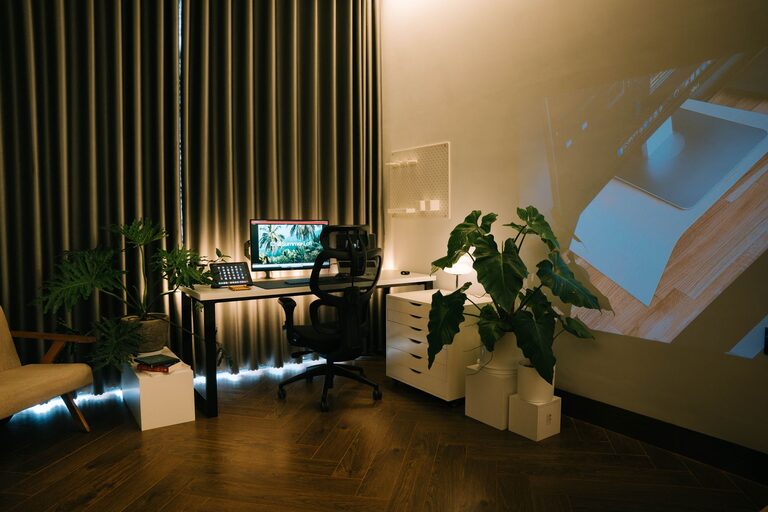
Creating a relaxing home workspace is essential for maintaining focus, reducing stress, and improving productivity—especially now that many people are working remotely. Your workspace should be a place where you feel comfortable and motivated. Whether you have a dedicated room or just a corner in your living area, this guide will help you turn it into a calming, functional environment.
Why a Relaxing Workspace Matters
A cluttered, noisy, or uncomfortable workspace can make it harder to concentrate and increase feelings of stress. On the other hand, a well-designed, peaceful area encourages creativity and helps you stay on task. A relaxing workspace supports your mental well-being and makes your workday more enjoyable.
Step 1: Choose the Right Location
Finding the ideal spot in your home is the first step. Consider these factors:
– Natural light: Choose a place near a window if possible, as natural light boosts mood and alertness.
– Quietness: Pick an area away from high-traffic zones to minimize distractions and noise.
– Space: Ensure there’s enough room for your desk, chair, and any equipment you need.
If you don’t have a separate room, a corner in your living room or bedroom can work well. Use room dividers or plants to create a visual boundary.
Step 2: Invest in Comfortable Furniture
Comfort is key to a relaxing workspace. Focus on:
– Ergonomic chair: A supportive chair reduces back and neck strain.
– Proper desk: Choose a desk at the right height that fits your work style.
– Footrest: Consider using a footrest to improve posture and reduce fatigue.
Don’t forget to arrange your equipment so that your monitor is eye-level and your keyboard and mouse are within easy reach.
Step 3: Declutter and Organize
A tidy workspace helps you feel calm and in control. Try these tips:
– Limit items on your desk: Keep only daily essentials on your work surface.
– Use storage: Employ shelves, drawers, or filing cabinets to store supplies.
– Cable management: Use clips or sleeves to keep cords neat and out of sight.
Regularly clean and reorganize your workspace to maintain a clutter-free environment.
Step 4: Personalize Your Space
Adding personal touches can make your workspace feel inviting without overwhelming it:
– Plants: Small indoor plants improve air quality and add a natural element.
– Artwork or photos: Hang inspiring images or keep family photos nearby.
– Decorative items: Choose calming colors and simple decor that reflect your style.
Avoid overly busy or distracting decorations to maintain focus.
Step 5: Control Lighting and Noise
Proper lighting and sound levels contribute greatly to comfort:
– Adjustable lighting: Use a combination of natural light, overhead lights, and task lamps to reduce eye strain.
– Sound management: Use noise-canceling headphones, a white noise machine, or soft background music if needed.
– Window treatments: Install blinds or curtains to control glare and brightness throughout the day.
Step 6: Incorporate Relaxation Elements
Adding elements that promote relaxation helps you take breaks that refresh your mind:
– Comfortable seating: Include a small lounge chair or cushion for breaks.
– Aromatherapy: Use a diffuser with essential oils like lavender or eucalyptus.
– Mindfulness tools: Keep a journal, stress ball, or meditation app handy.
Taking short breaks away from your screen is important for productivity and well-being.
Step 7: Maintain Good Habits
Creating a relaxing workspace is ongoing. Remember to:
– Keep your space clean daily: Spend a few minutes each day tidying up.
– Stand and move: Change positions or do light stretching regularly.
– Set boundaries: Establish specific work hours to separate work from personal life.
Good habits help you make the most of your workspace and keep stress at bay.
—
By following these steps, you’ll transform your home workspace into a peaceful, efficient place that supports your best work. A relaxing environment isn’t just about aesthetics—it’s about creating a space that nurtures your focus and well-being every day. Start with one or two changes and build from there to design the workspace you deserve.